![Logo (White, horizontal).png]](https://help.pulselabs.ai/hs-fs/hubfs/Logo%20(White%2c%20horizontal).png?height=24&name=Logo%20(White%2c%20horizontal).png)
At Pulse Labs, we’re dedicated to helping brands and builders shape better digital experiences through real human feedback. That journey starts with people like you—our panelists—whose voices drive the insights that fuel smarter products. To make participation seamless and rewarding, we use the Pulse Voices™ panel dashboard: a streamlined dashboard where you can manage your profile, access studies, and track rewards.
Here’s what your journey as a Pulse Voices panelist looks like step-by-step through the dashboard.
Step 1: Sign-Up & Account Creation
Your journey begins at www.pulselabs.ai, where you can quickly sign up as a Panelist to become a Pulse Voices panelist. You’ll enter some basic information like your name, email, and location.
-1.png?width=670&height=284&name=Pulse%20Labs%20website%20(sign%20up)-1.png)
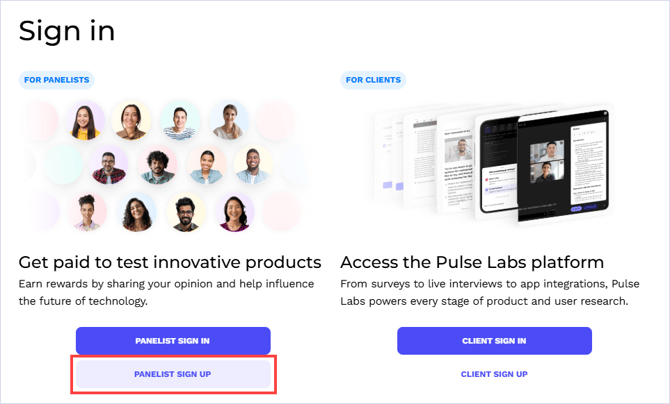
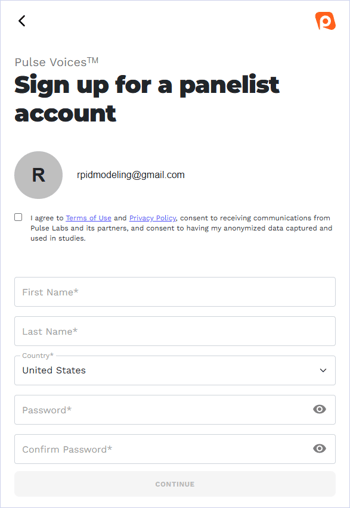
Once you create your account, you’ll receive a confirmation email — just verify your email, and you’re officially in!
Step 2: Complete Your Profile
After signing in to the Pulse Voices dashboard, the next step is to fill out your profile. This helps us match you with relevant studies based on your interests, demographics, and tech habits.
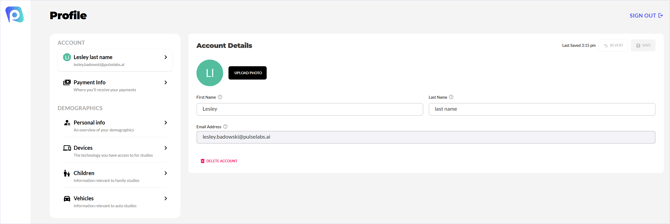
The more complete your profile is, the more likely you’ll receive personalized study invitations.
Note: If you need to change your location, contact us at support@pulselabs.ai. Please include your current and updated location details in your message.
Step 3: Browse or Receive Study Invitations
When a new study fits your profile, you will receive a screener survey. A screener is a set of questions used to assess your eligibility for a research study. For details, see How Do I Complete a Screener?
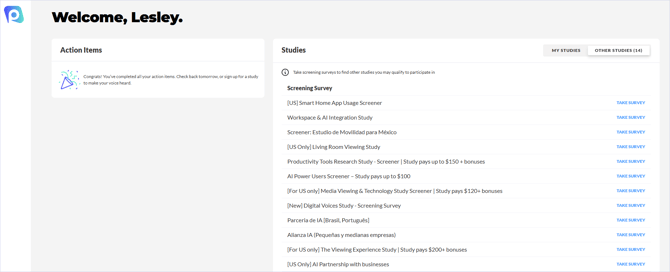
- Once you are eligible based on the screener survey, you will receive an email invitation with study details. Your invitations will also show on your Pulse Voices dashboard under My Studies.
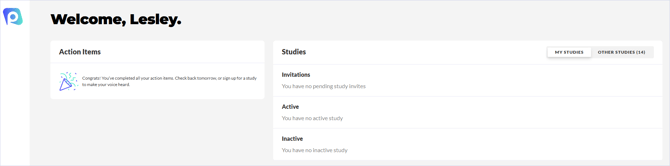
- Additional opportunities are listed directly on your Pulse Voices dashboard under Other Studies, which has a list of screener surveys you can take to determine your eligibility for other research studies.
Step 4: Participate in the Study
Once you qualify for a study, you’ll get clear step-by-step instructions via email.
Most studies are remote and can be completed on your own time, but we’ll let you know if there are any live sessions or specific timeframes.
If you ever run into questions, our support team is just a message away at support@pulselabs.ai.
Step 5: Stay Engaged
You’re now part of the Pulse Voices panel! New studies are added regularly, and your dashboard is always the best place to stay up to date. We also occasionally send notifications when you are matching a particular study.
Your Feedback Shapes the Future
Every tap, voice command, and opinion you share helps teams build more thoughtful, human-centered products. At Pulse Labs, we believe real users create real impact—and we’re grateful you’re on this journey with us.